Overview
Actions are corrective tasks that stem from audit findings, helping you address issues and maintain compliance. Every action is automatically linked to its originating audit question, creating a clear audit trail from discovery to resolution.
Creating Actions from Audits
Method 1: During Mobile Audits
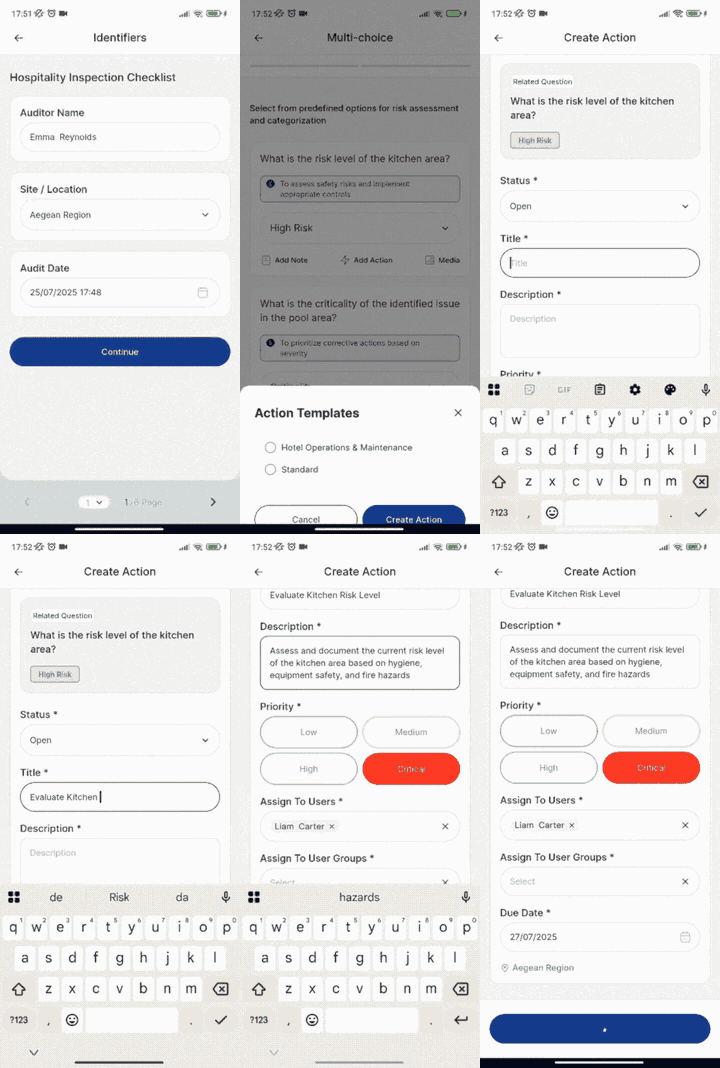
Standard Action Creation:
- Complete your audit question response
- If the response indicates an issue (e.g., "Fail," "Non-Compliant"), tap "Add Action"
- The action form pre-populates with audit question details, location, and date
- Fill in required fields and assign
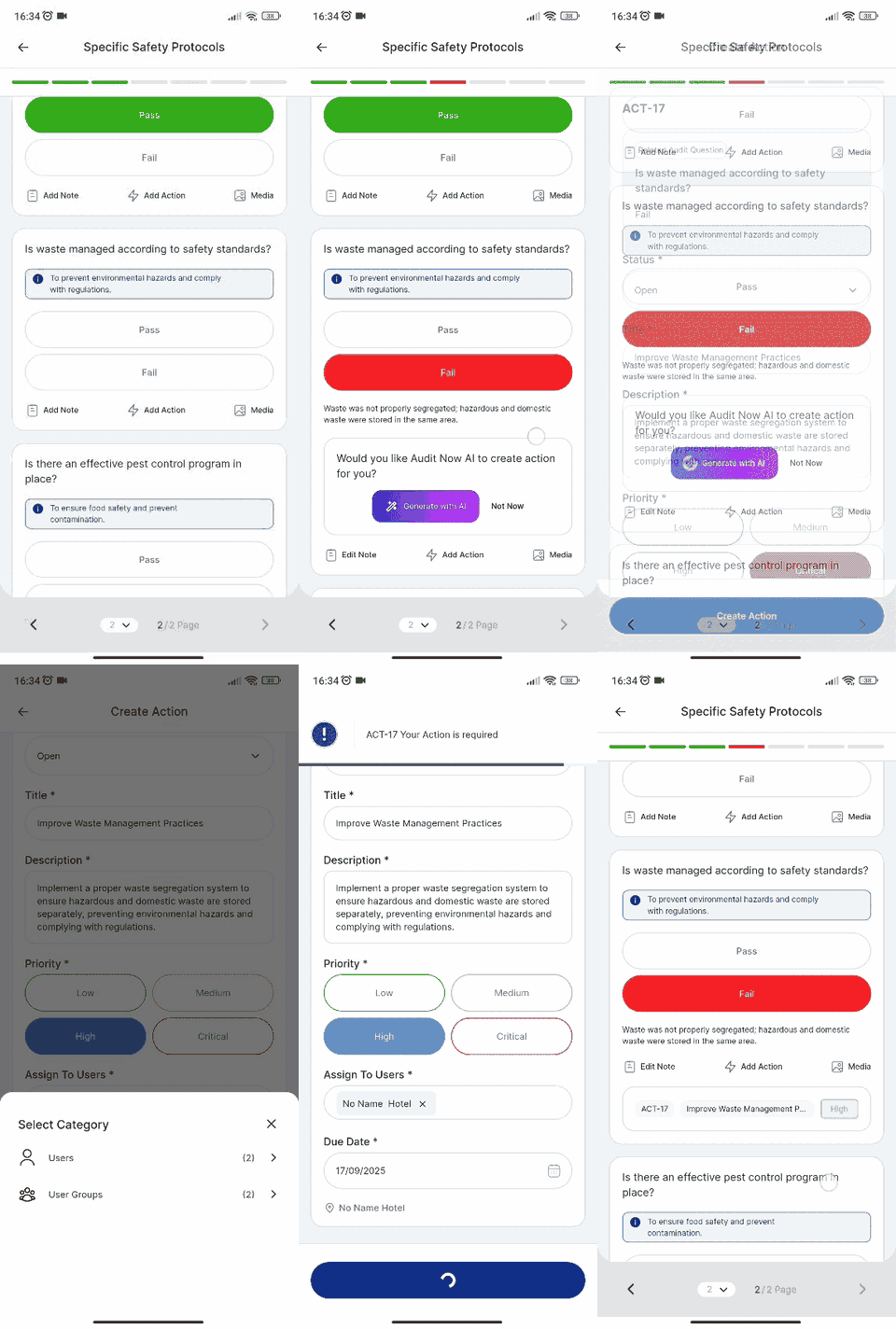
AI-Powered Action Creation:
- Complete your audit question by selecting "Fail" or similar response
- Add your explanatory note describing what you observed (e.g., "Waste was not properly segregated; hazardous and domestic waste were stored in the same area")
- AI prompt automatically appears: "Would you like Audit Now AI to create action for you?"
- Choose your approach:
- Tap "Generate with AI" for instant, intelligent action creation
- Tap "Not Now" to continue with manual creation
- If using AI: Review the auto-populated action with smart suggestions for title, description, priority, and due date
- Customize if needed and tap "Create Action"
Method 2: From Completed Audit Reviews
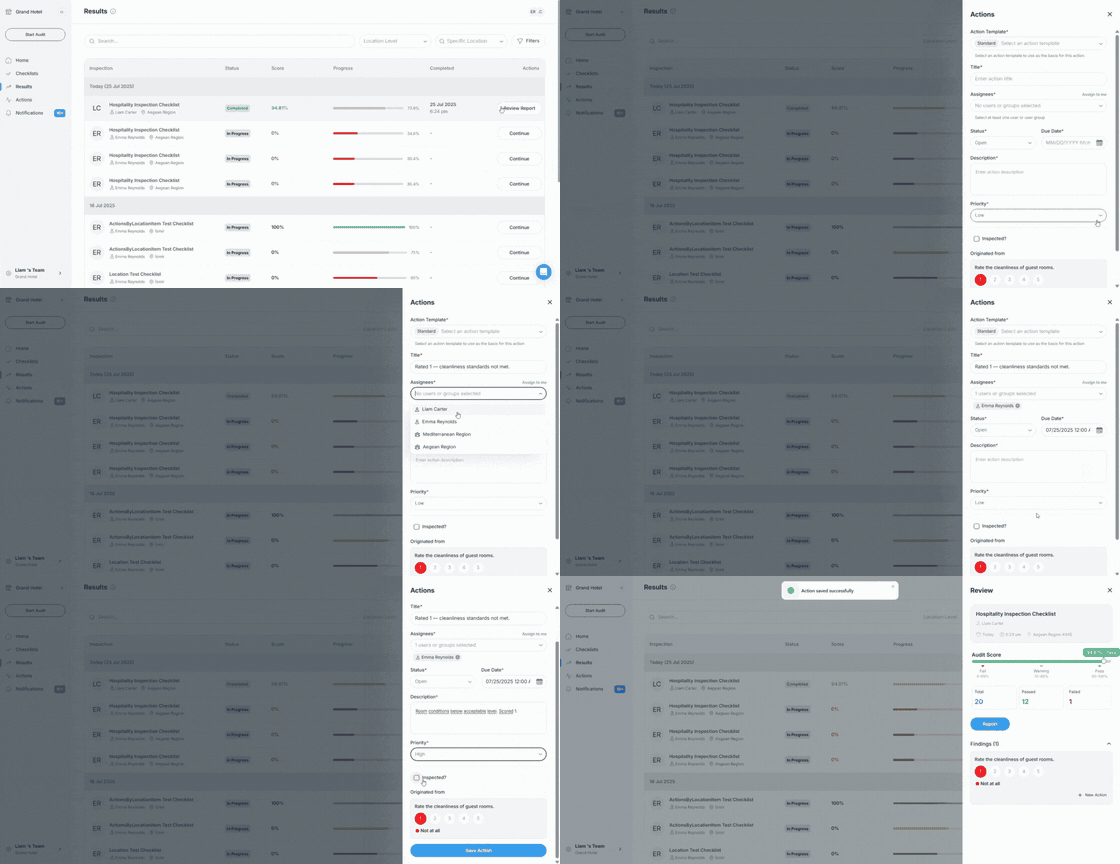
- Navigate to Results in your main menu
- Select the completed audit you want to review
- Click "New Action" next to any question with issues
- Complete the action form with pre-loaded audit context
Setting Up Your Action
Required Fields
Manual Creation:
- Status: Select current status (automatically defaults based on template settings)
- Title: Brief, descriptive summary (e.g., "Replace expired fire extinguisher")
- Description: Detailed explanation of the problem and required resolution
- Priority: Critical/High/Medium/Low based on urgency
- Due Date: Set realistic timelines with automatic reminders
- Assignment: Choose individual user or user group
AI-Generated Fields: When using AI creation, these fields are automatically populated with intelligent suggestions:
- Title: Transforms basic observations into professional, actionable titles
- Description: Expands your notes into comprehensive corrective action plans
- Priority: Analyzes issue severity to suggest appropriate urgency level
- Due Date: Calculates realistic timelines based on issue type and priority
Assignment Options
- Individual: Assign to specific user for specialized tasks
- User Group: Assign to teams (e.g., "Maintenance Team," "Store Managers")
Tips for Effective Actions
- Use clear, concrete language with measurable outcomes
- Set realistic due dates considering complexity and resources
- Assign to person/group closest to the issue with proper expertise