Overview
Mobile action management is essential for field teams who need to address issues immediately at the point of discovery. Audit Now's mobile app provides full action functionality, allowing you to create, assign, update, and resolve actions without returning to the office.
Mobile Actions Interface
Accessing Actions
- Open the Audit Now mobile app
- Tap "Actions" in the bottom navigation
- View your actions list with search and filters
Actions List Features
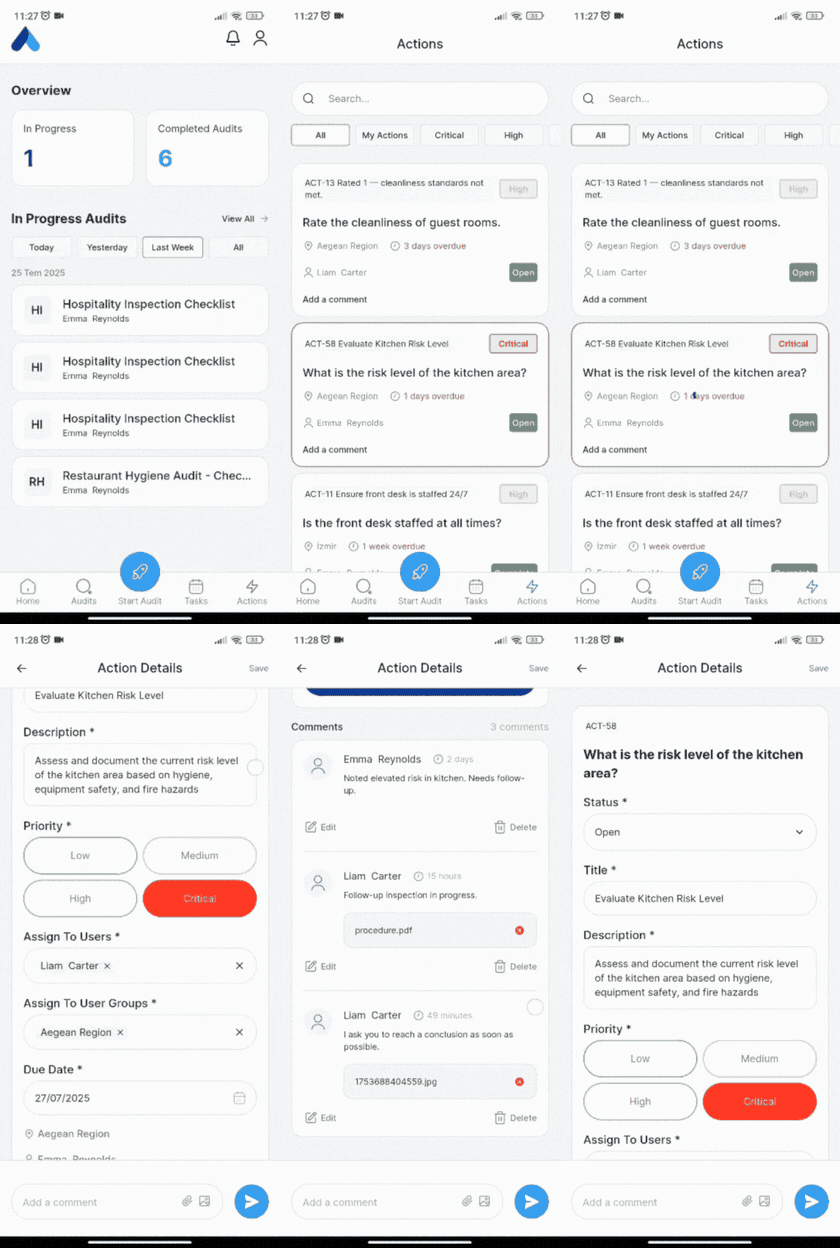
- Filter tabs: All, My Actions, Critical, High, Medium, Low
- Action cards show: ID, title, priority, location, due date, assignee, status
- Tap anywhere on card to open full action details
Creating Actions from Mobile
During Audits
- While conducting an audit, answer questions
- For failed responses, tap "Add Action"
- Form pre-populates with audit context (question, location, date)
- Complete: Title, Description, Priority, Assignee, Due Date
- Save to create action
Mobile Action Management
Status Updates
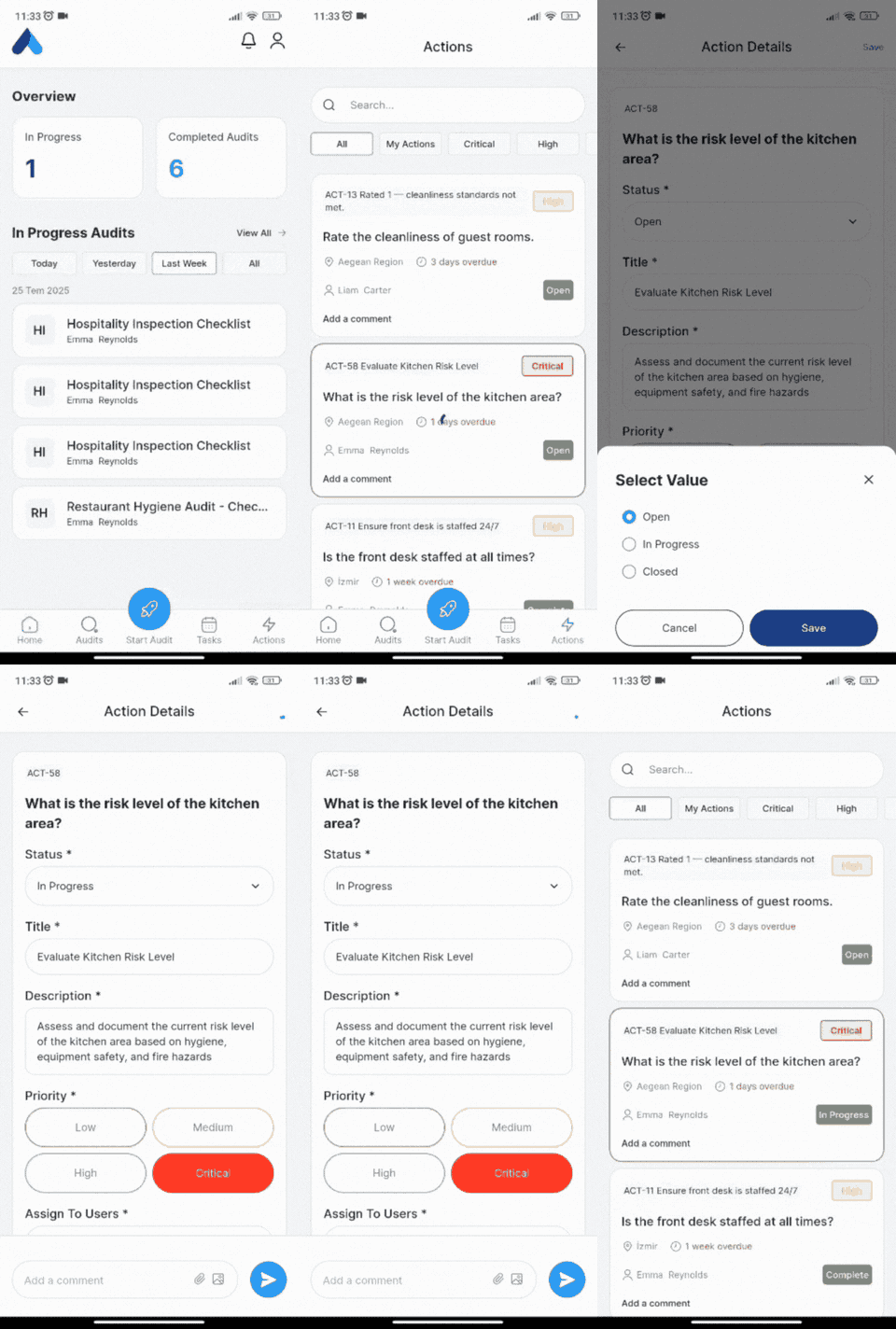
- Tap anywhere on action card to open details
- Tap status dropdown → select new status
- Add optional comment
- Capture photos for evidence
- Save changes
Comments and Photos
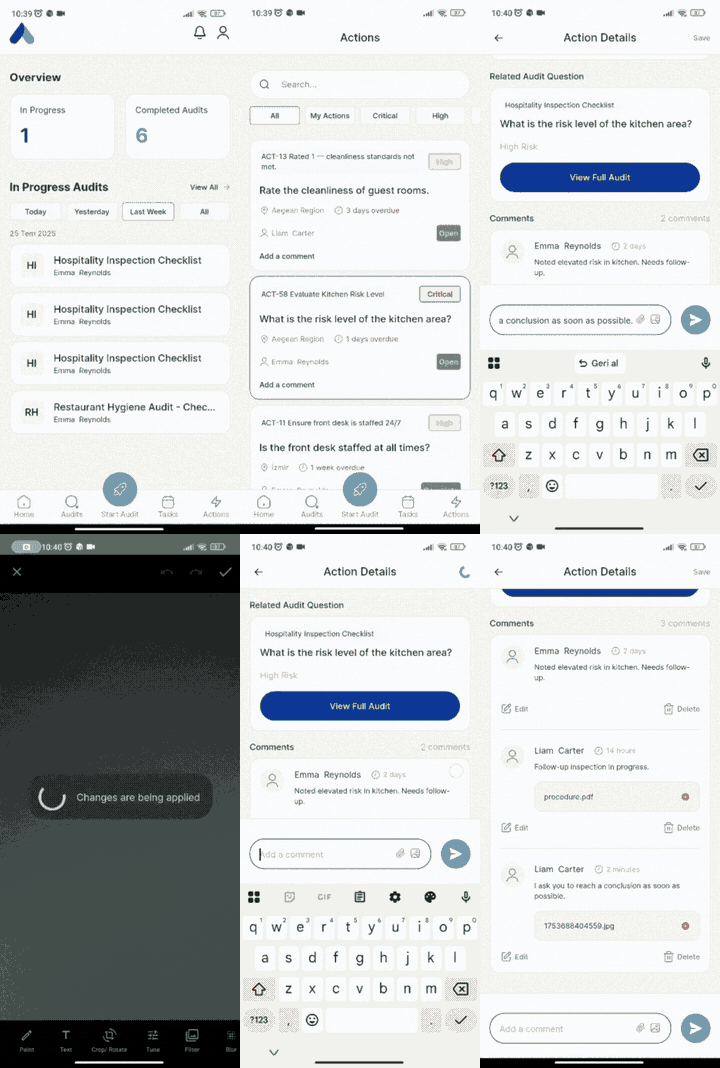
- Tap "Add a comment" for updates
- Use photo icon to capture evidence
- Camera opens → take photo or access gallery (bottom left)
- Add captions and save
Filtering and Search
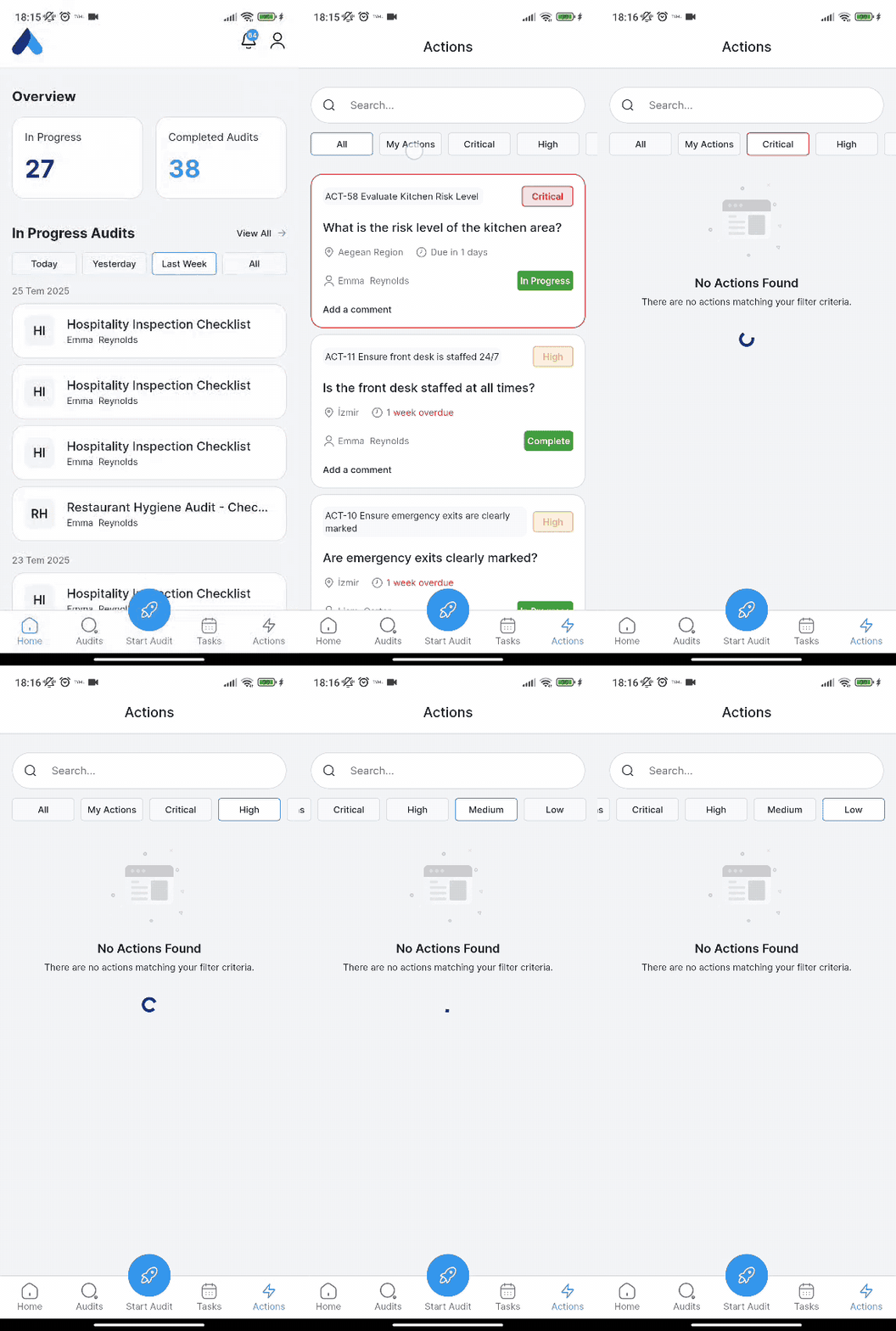
- Priority filters: Critical, High, Medium, Low
- Assignment: My Actions vs All Actions
Managing Overdue Actions
Due Date and Status Interaction
Active Overdue Tracking:
- Only "Open" category statuses trigger overdue warnings
- "Closed" category statuses stop due date tracking
- Status updates can be combined with due date extensions
Overdue Notification Schedule:
- 1 day before due date: "Action Due Date Approaching"
- 1 day after due date: "Action Due Date Passed"
- Daily reminders: Continue until status changes to Closed category