Overview
Action notifications keep assignees informed about assignments, status changes, and approaching deadlines. Understanding notification triggers and settings helps ensure critical actions receive appropriate attention without overwhelming users with unnecessary alerts.
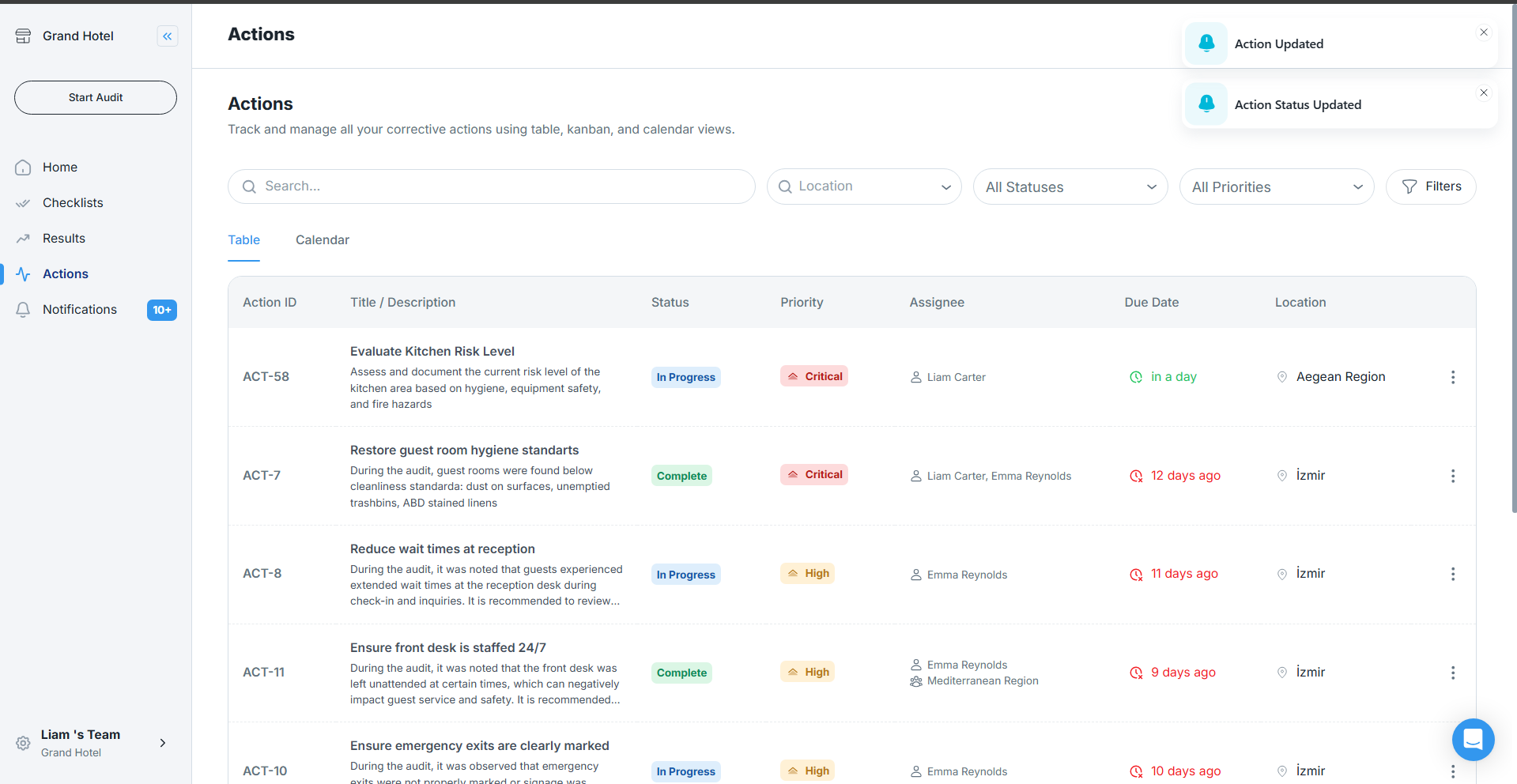
Automatic Notification Triggers
Assignment Notifications
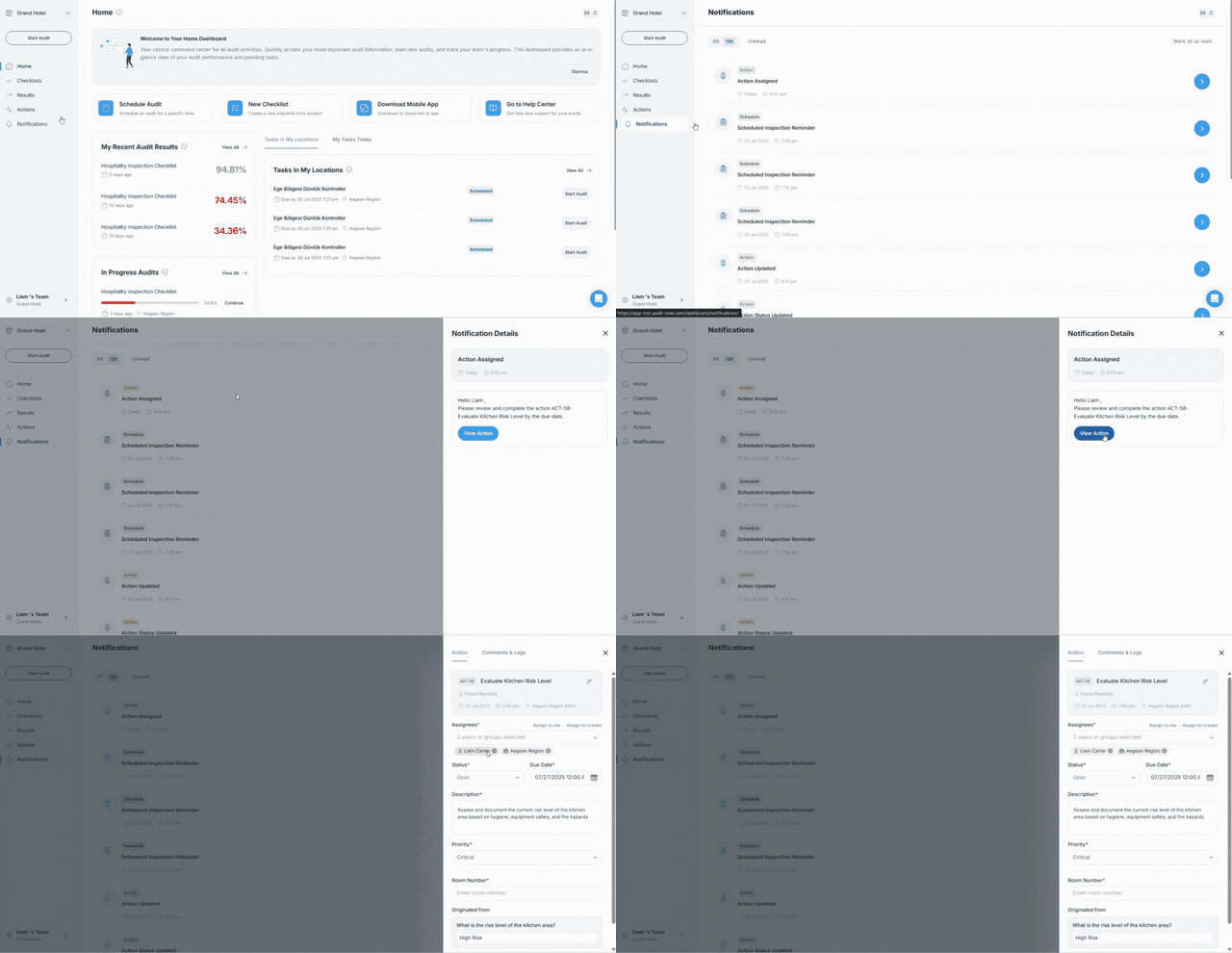
- Sent when action assigned or reassigned to you
- Shows action number and completion request (e.g., " Please review and complete the action ACT-7- Restore guest room hygiene standarts by the due date")
- Provides direct access to view full action details
Status Update Notifications
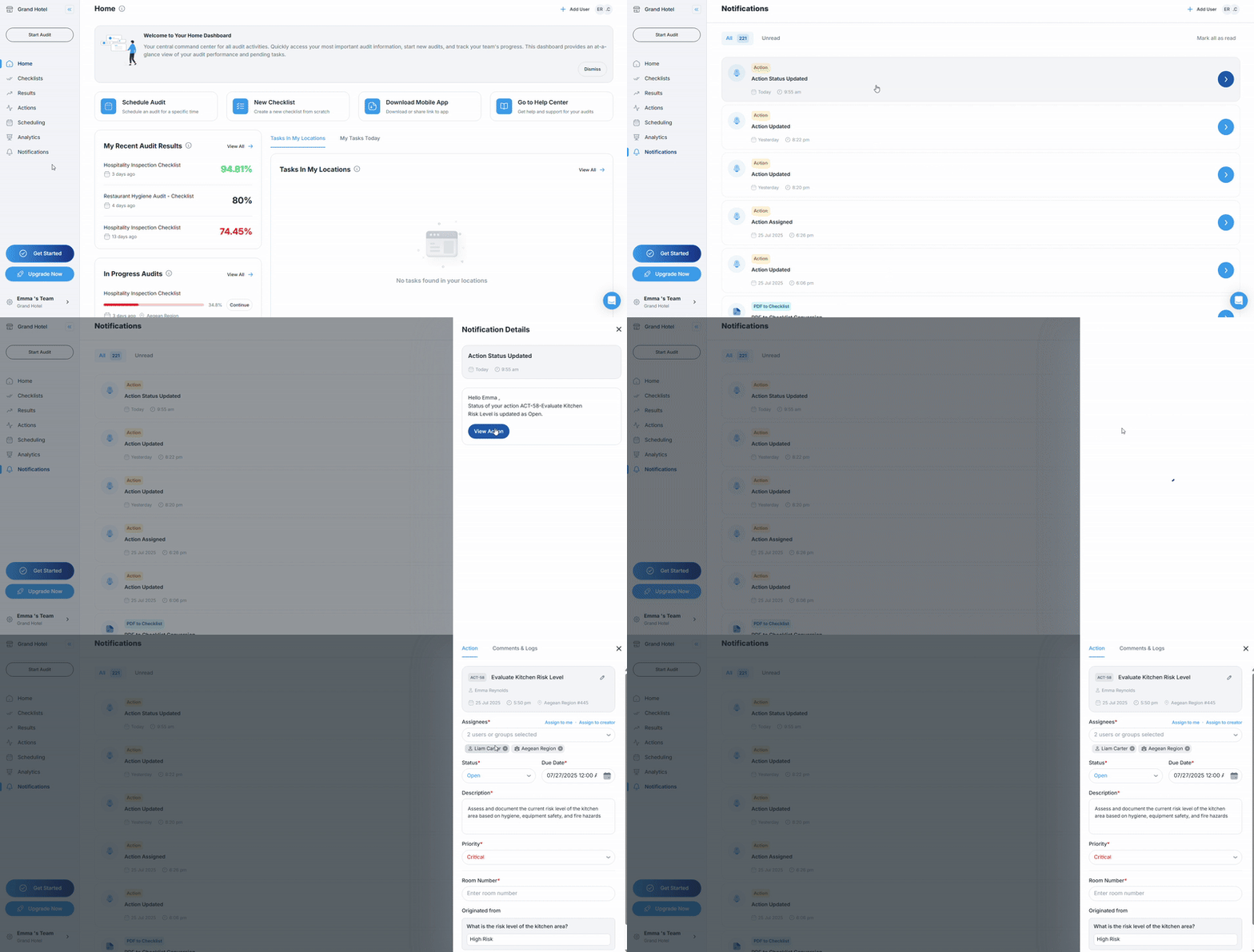
- Sent when action status changes
- Shows the updated status and action title (e.g., "Status of your action ACT-7- Restore guest room hygiene standarts is updated as Open")
- Includes action number and brief description
Comment Notifications
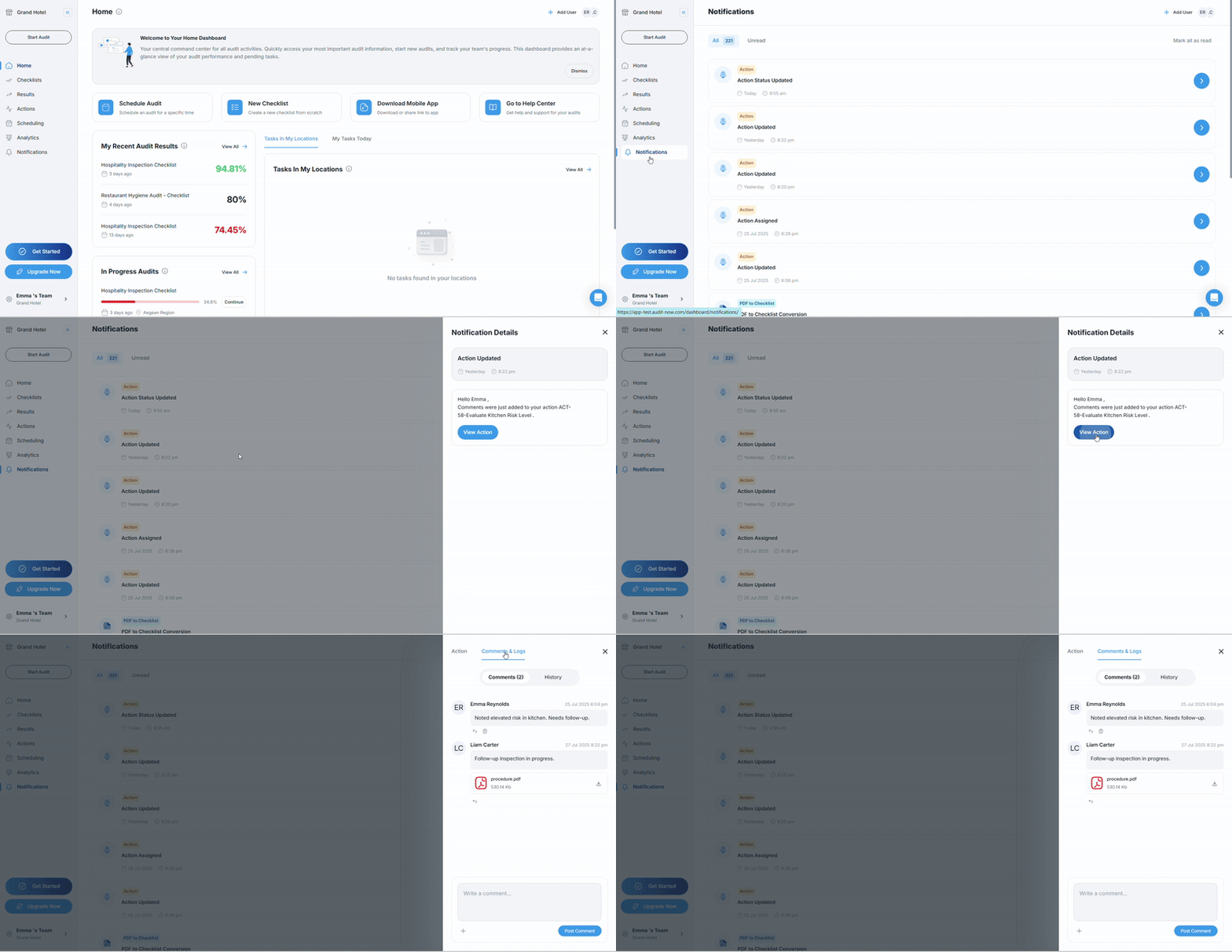
- Sent when comments added to your assigned actions
- Shows which action received comments (e.g., "Comments were just added to your action ACT-7-Restore guest room hygiene standarts")
- Provides link to view action and read comments
Due Date Management
Due Date Alerts
- Approaching: Notification when due date is approaching (e.g., "Due date of ACT-7- Restore guest room hygiene standarts is approaching")
- Overdue: Alert when due date has passed (e.g., "Due date of ACT-7- Restore guest room hygiene standarts passed")
Notification Delivery
Email Notifications
- Comprehensive action details with direct platform access
- Professional format suitable for business communication
- Includes action number, priority, location, title, and due date
Mobile and Web Notifications
- Real-time push notifications on mobile app
- In-app notifications on web platform
- Quick access to action details with "View Action" button
- Immediate delivery for urgent updates