Read Before
How to Access Your Profile
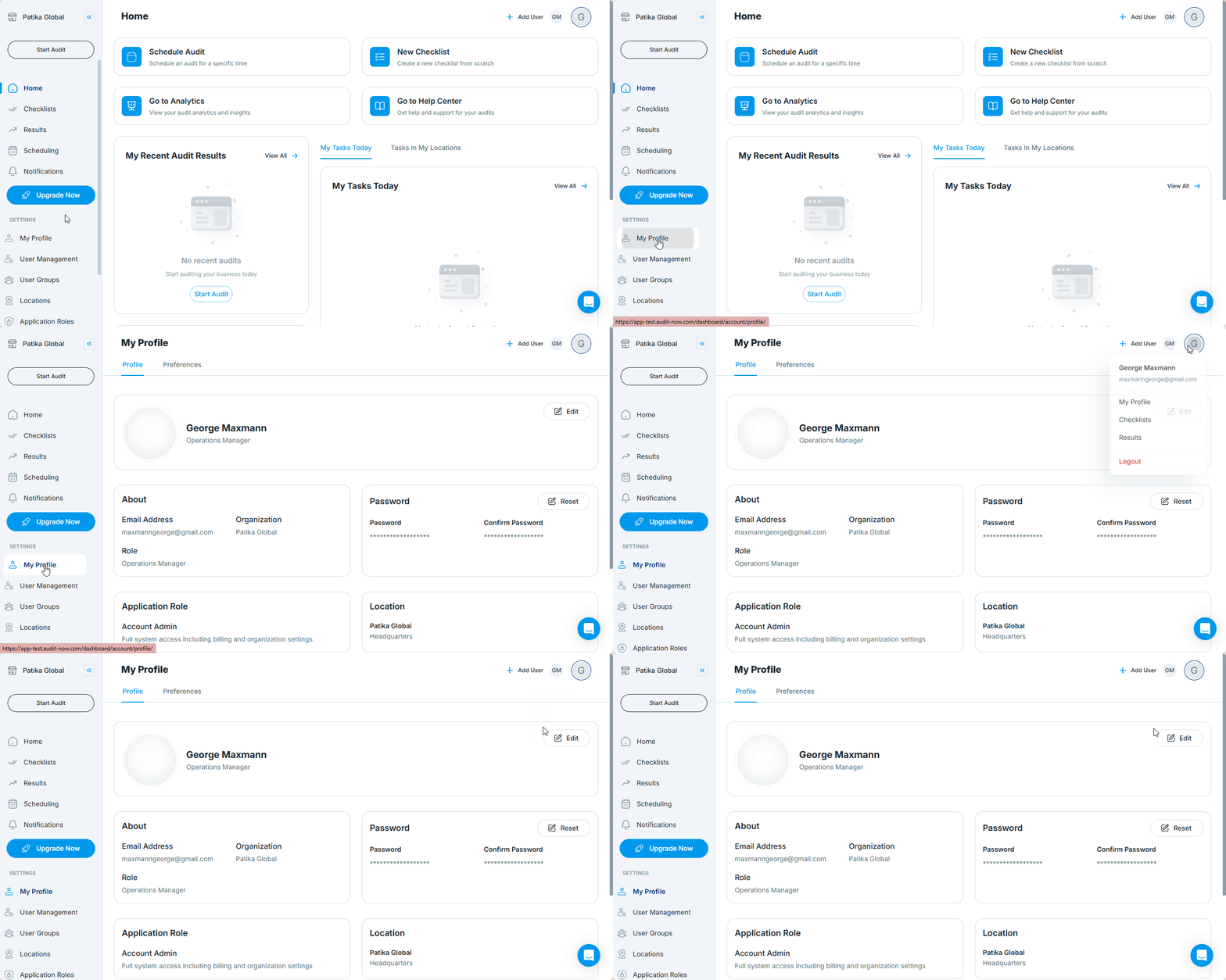
There are two ways to open the My Profile page:
Option 1: From the Sidebar
- Go to the left-hand navigation menu
- Click “My Profile” under the Settings section
Option 2: From the User Menu
- Click your profile icon in the top-right corner
- Select “My Profile” from the dropdown
User Profile Tabs
The profile page includes two tabs:
1. Profile
Used to manage personal and role-related data.
| Field | Description |
|---|---|
| First & Last Name | Your displayed name across the platform |
| Profile Picture | Upload a photo to personalize your account |
| Email Address | Registered login email (non-editable) |
| Password | Can be reset when necessary |
| Organization | Optional contact number |
| Role | Your role or title in the organization |
| Application Role | System role (e.g., Admin, Auditor, Viewer) — shown for reference |
| Location | Locations linked to your profile |
| Membership | Lists the user groups you belong to |
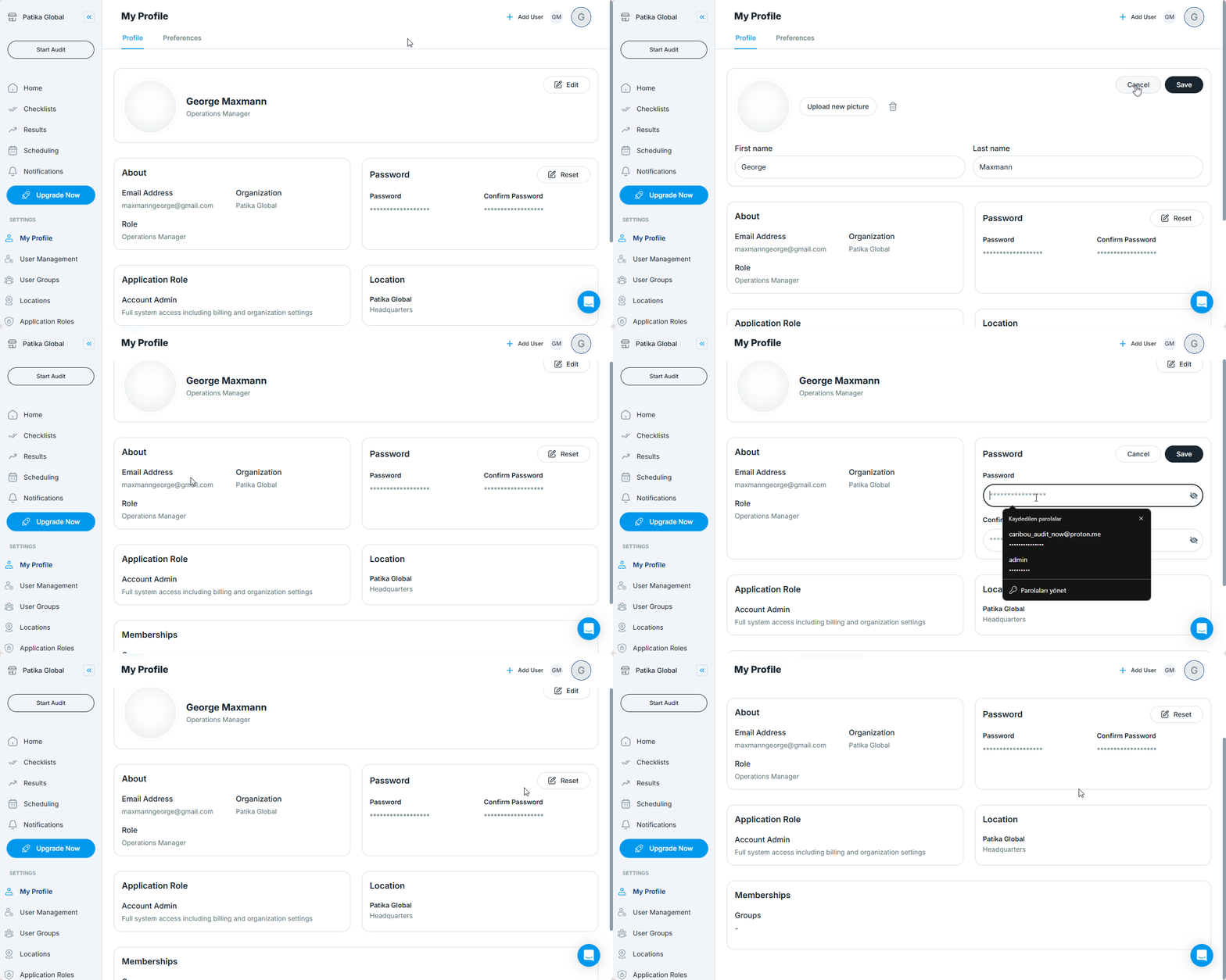
Only editable fields can be updated by the user directly. System-managed fields (like Role or Groups) are visible but cannot be changed by the user.
2. Preferences: Manage Notification Settings
This tab allows users to control how they receive key system notifications related to audits and checklist access.
You can choose to receive the following alerts via Push or Email:
| Notification Type | When It's Triggered |
|---|---|
| Scheduled Inspection Reminder (Due Date Approaching) | Sent shortly before the audit is due |
| Scheduled Inspection Reminder (Start Date Approaching) | Sent before the audit becomes active |
| Scheduled Inspection Reminder (Due Date Passed) | Sent when the audit is overdue and incomplete |
| Checklist Access Granted | Sent when you're assigned access to a new checklist |
| Audit Completed | Sent when an audit you’re linked to is submitted |
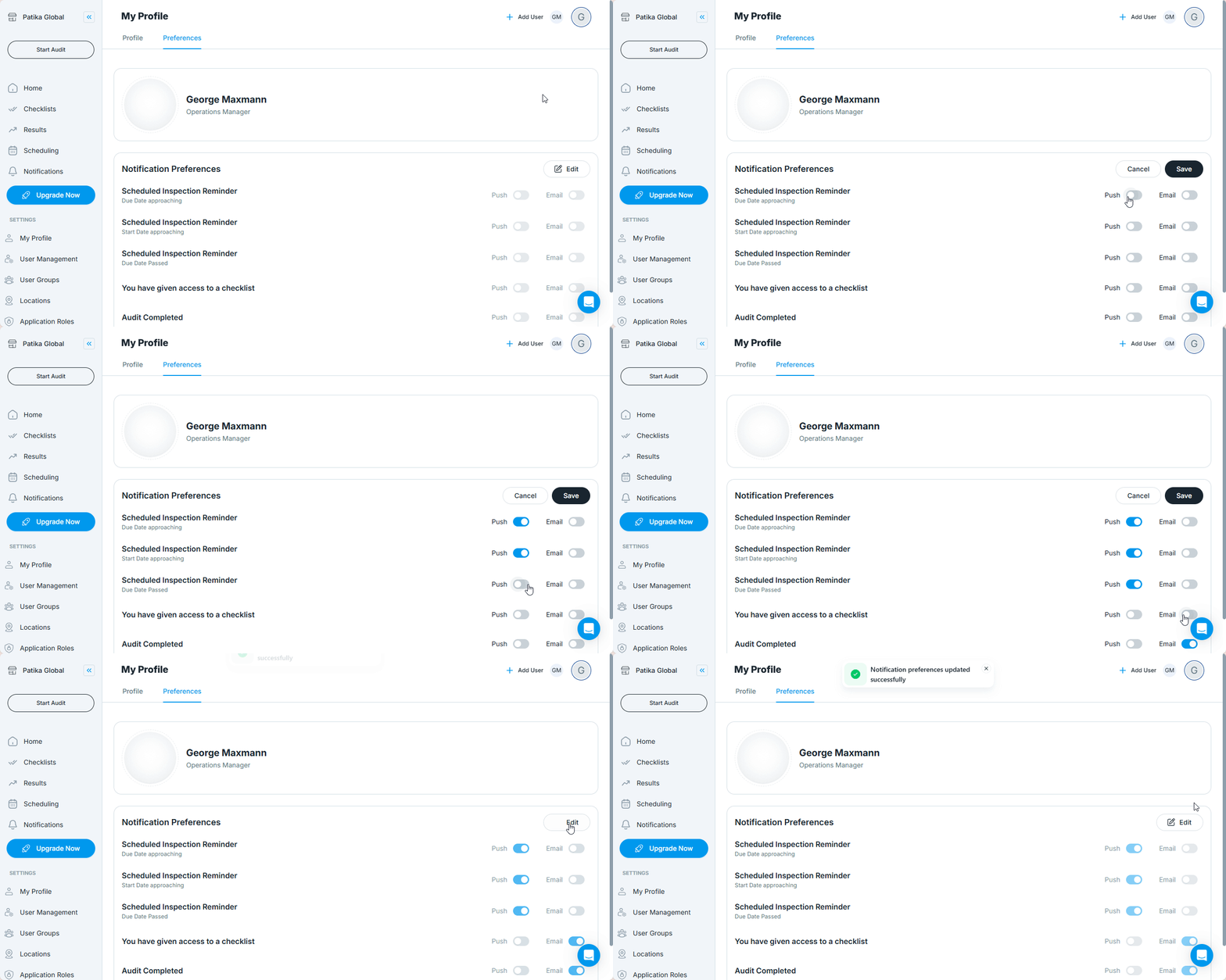
Use the toggle switches to enable or disable Push and Email notifications for each item. Click Edit to start adjusting your preferences.
Best Practices
- Enable Push for real-time reminders, especially for mobile users
- Use Email if you rely on inbox tracking and audit follow-up
- Review settings regularly to match your role or responsibility changes