Audit Now is available in English and Turkish (Türkçe). Every user chooses their own language, so a change you make only affects your account and does not change the language other people see.
If Audit Now appears in Turkish and you want to use it in English, follow the steps below. In the screenshots the menu names are in Turkish, and the English names are given in parentheses in the text.
How to Change Your Own Language
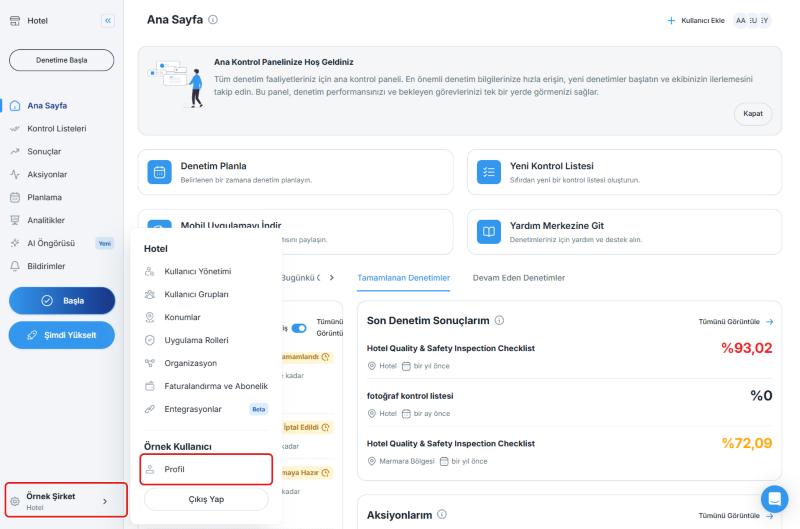
- Click the account menu at the bottom left of the sidebar (it shows your company name) and select Profil (Profile)
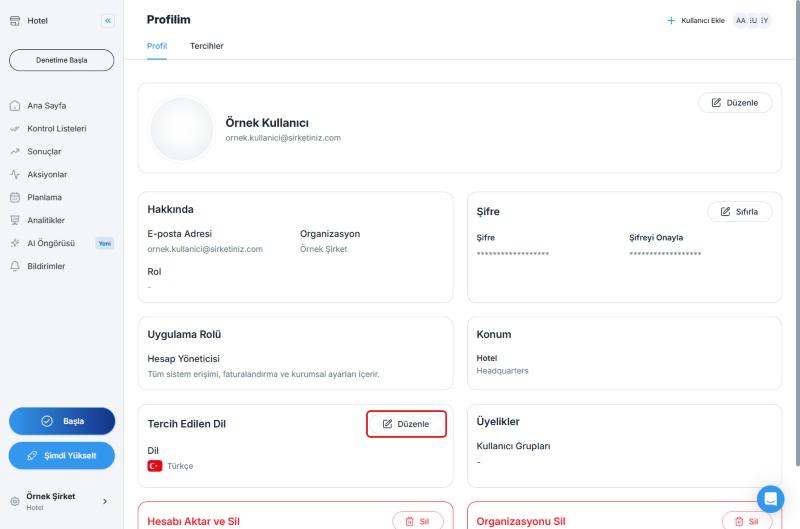
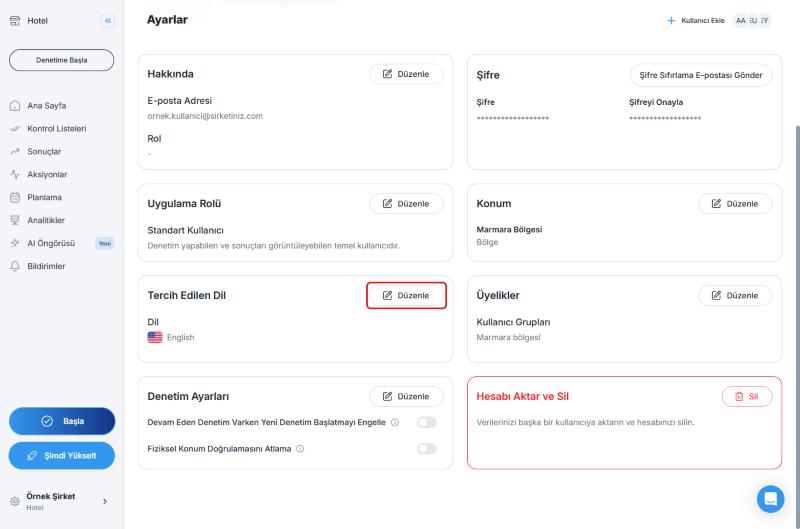
- On the Profilim (My Profile) page, find the Tercih Edilen Dil (Preferred Language) card on the Profil (Profile) tab and click Düzenle (Edit)
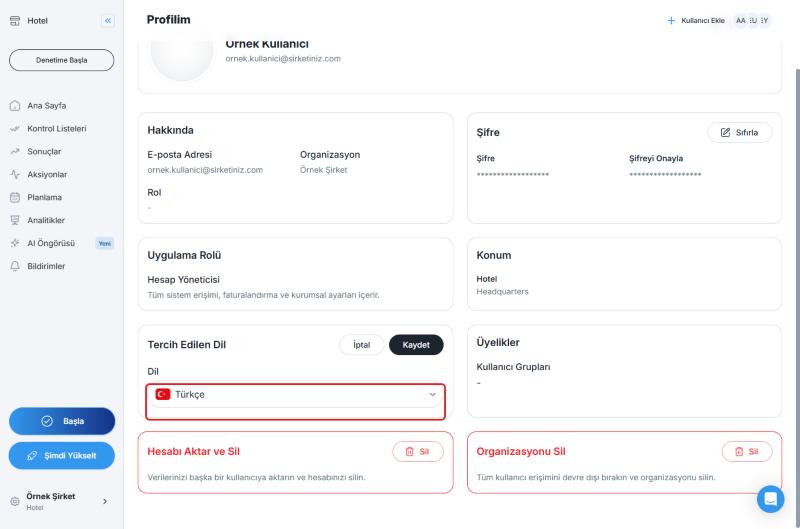
- Open the Dil (Language) list
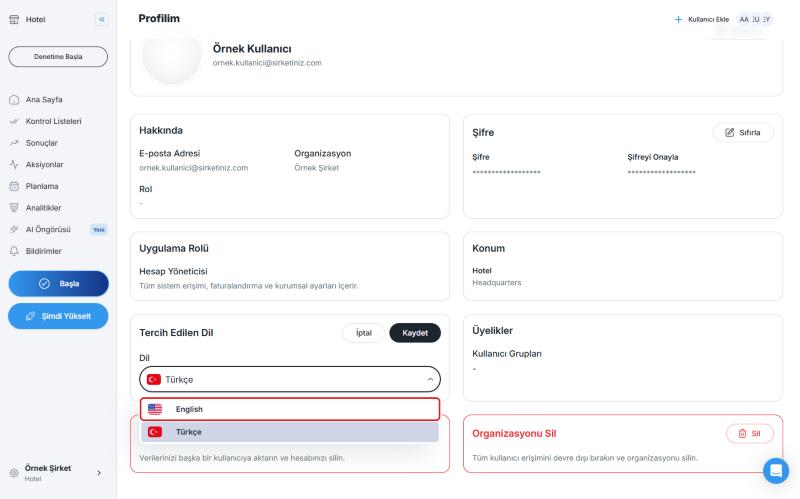
- Select English from the list
- Click Kaydet (Save). The interface switches to English right away, and you do not need to refresh the page
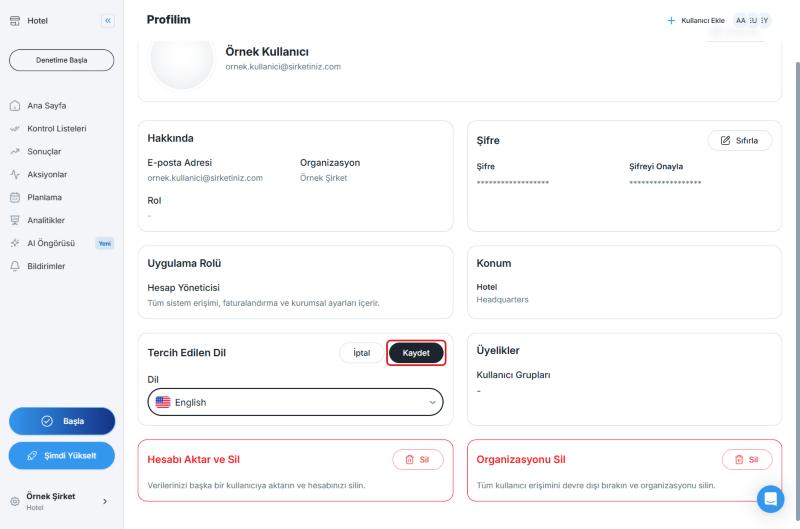
If you change your mind before saving, click İptal (Cancel) and your language stays the same.
How to Change a Team Member's Language (Administrators)
Administrators can set the language for other users from the user's own page:
- From the account menu at the bottom left, open Kullanıcı Yönetimi (User Management)
- Click the user whose language you want to change
- In the Tercih Edilen Dil (Preferred Language) card, click Düzenle (Edit), choose the language, and click Kaydet (Save)
Available Languages
| Language | Shown in the list as |
|---|---|
| English | English |
| Turkish | Türkçe |
Audit Now supports only English and Turkish. Other languages, such as Italian, German, French, or Spanish, are not available. Only these two languages appear in the language list, so you cannot choose another language. If you need another language, you can use Audit Now in English or Turkish.
Is Italian (or any other language) available? No. The interface language can only be set to English or Turkish.
Best Practices
- Ask each team member to choose the language they are most comfortable with so everyone can work in their own language.
- If someone on your team cannot read the current interface language, an administrator can switch it for them from User Management.
Next steps
Learn how to manage the rest of your profile details and your notification preferences.
Next article: Manage Your User Profile →