Read Before:
This feature is ideal for teams without an existing SOP or those launching a new process.
Where to Start
- Go to the Checklist section in the left-hand menu
- Select “Create Using AI”
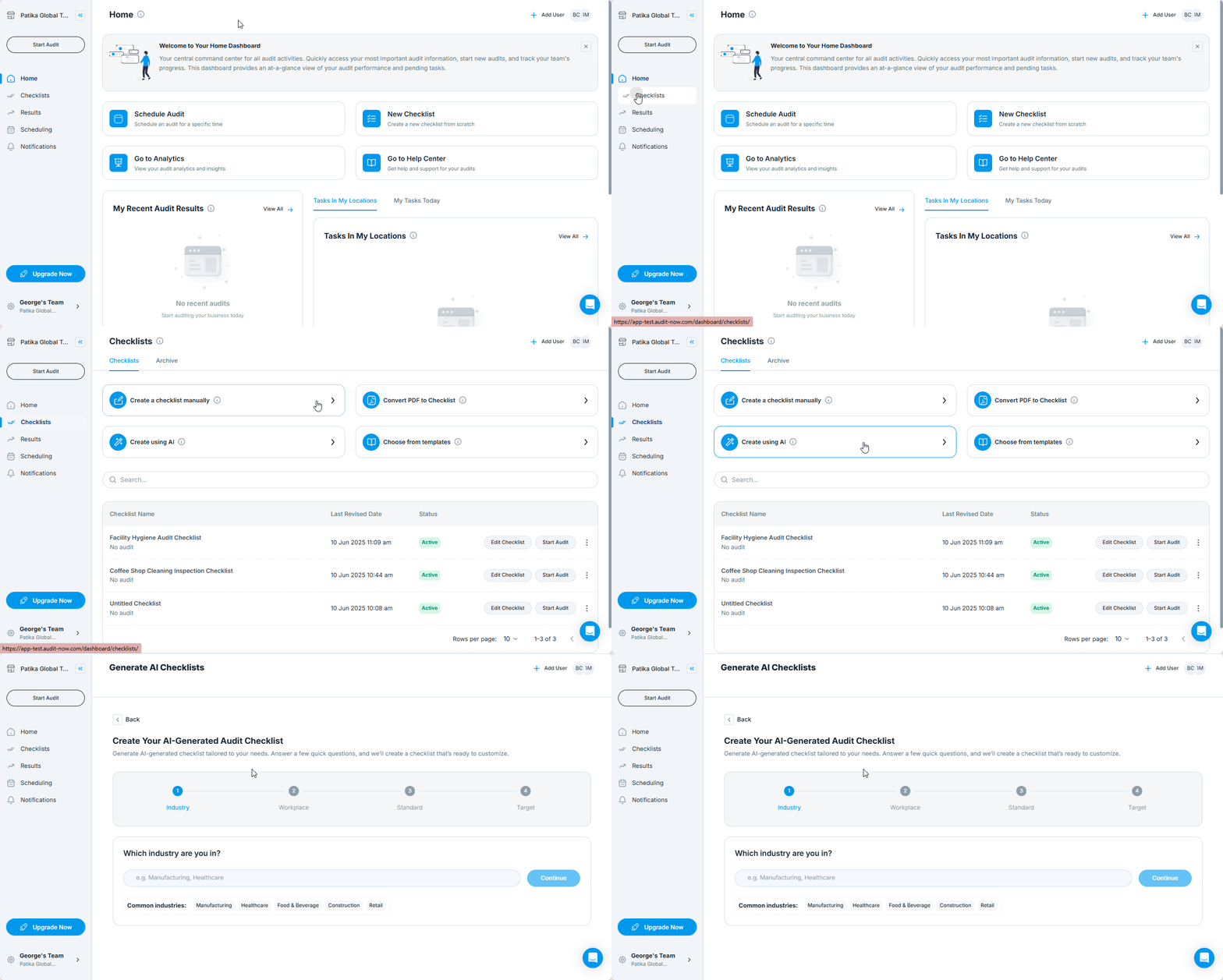
Describe Your Checklist
In the AI checklist form, answer:
- Which industry are you in? – e.g., "Food & Beverege"
- What type of workplace? – e.g., Office, Factory Floor, Retail Store
- What standards are you checking against? – e.g., HACCP, Internal SOP
- What are you auditing? – e.g., "Employee Training"
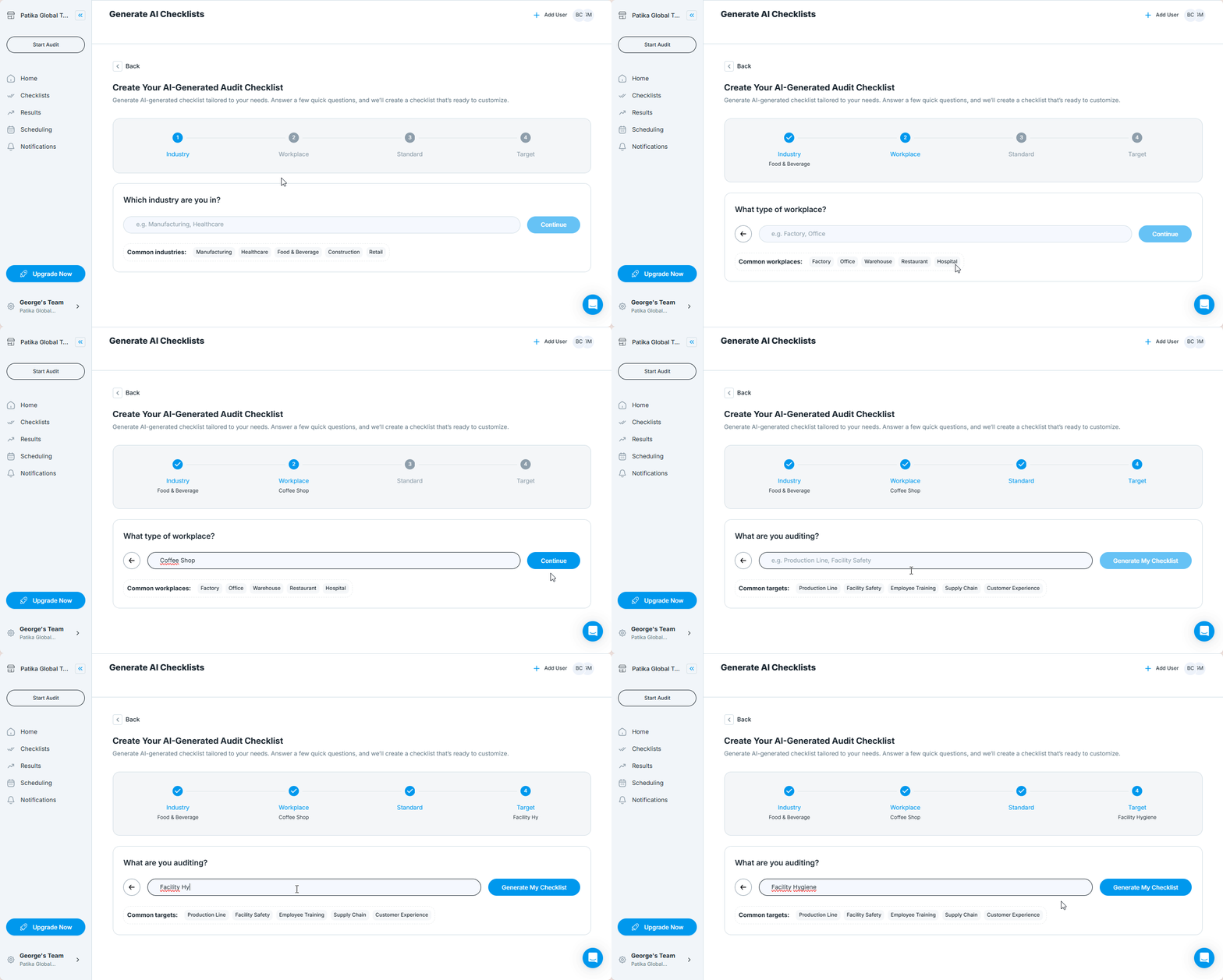
Generate and Review
Once you click Generate My Checklist:
- The system drafts checklist items and groups them into logical sections
- It auto-selects response types based on question structure
- You’ll be taken to the checklist editor to review and adjust
You can:
- Add/edit checklist items
- Reorganize sections
- Change response types
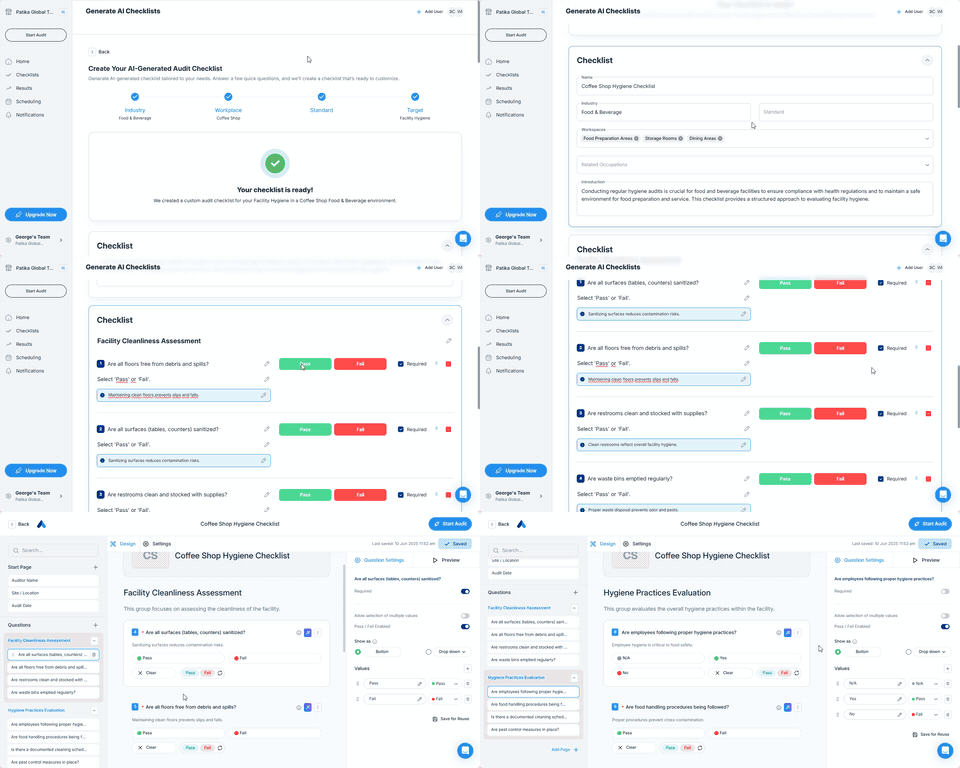
When to Use AI Checklist Generation
Use this option when:
- You don't have an SOP to upload
- You're building a checklist from scratch
- You need inspiration or a draft to start from
Best Practices
- Use short bullet points when describing inspection items
- Be clear about where and by whom the checklist will be used
- Always review and adjust AI-generated content before publishing
Next Article: Import from the checklist library →