Read Before:
The checklist library is ideal for teams looking for industry-standard formats or starting points for audits.
Where to Find It
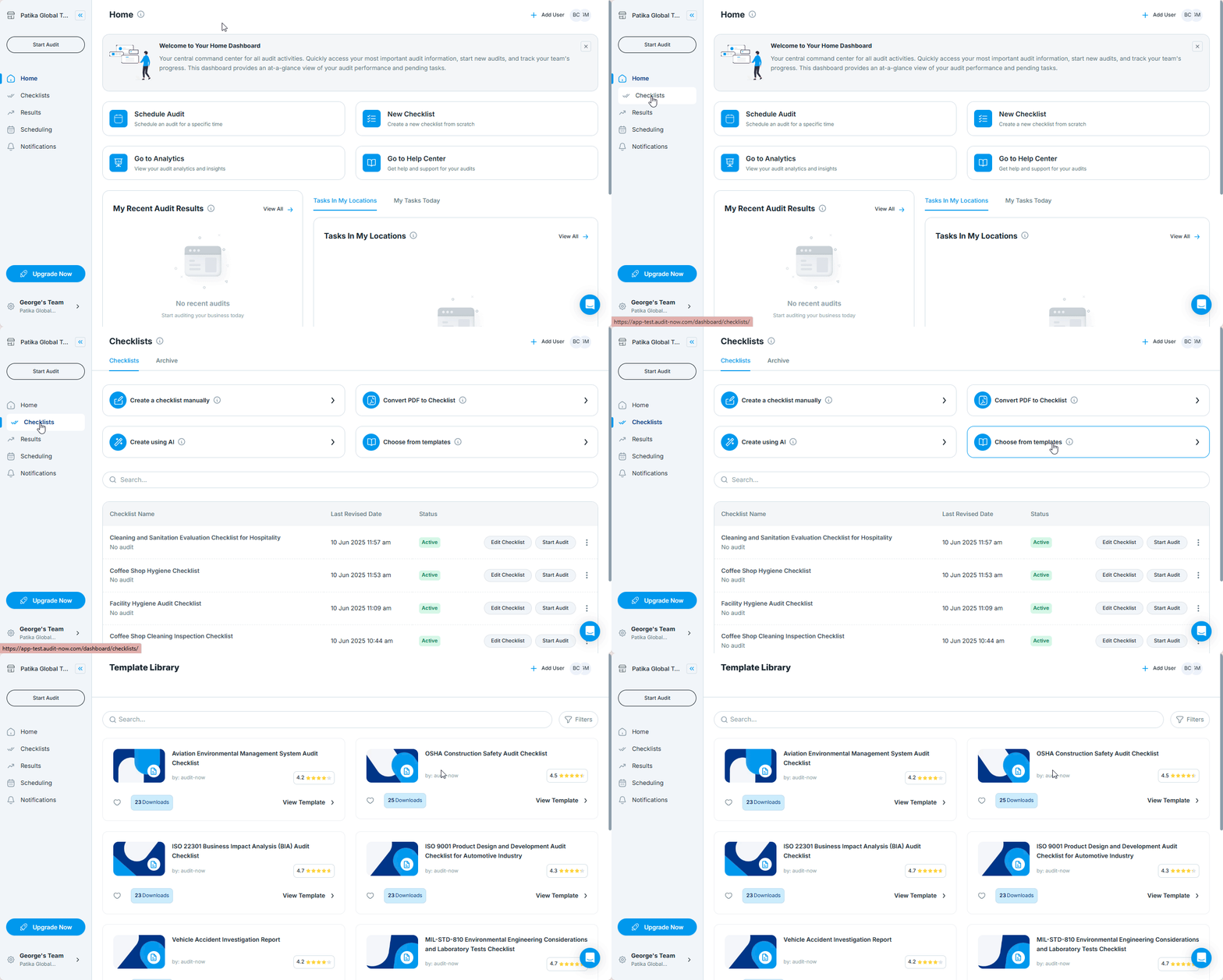
- Go to the Checklist section from the left-hand menu
- Select “Choose from Templates”
Browse the Library
Once inside the library view:
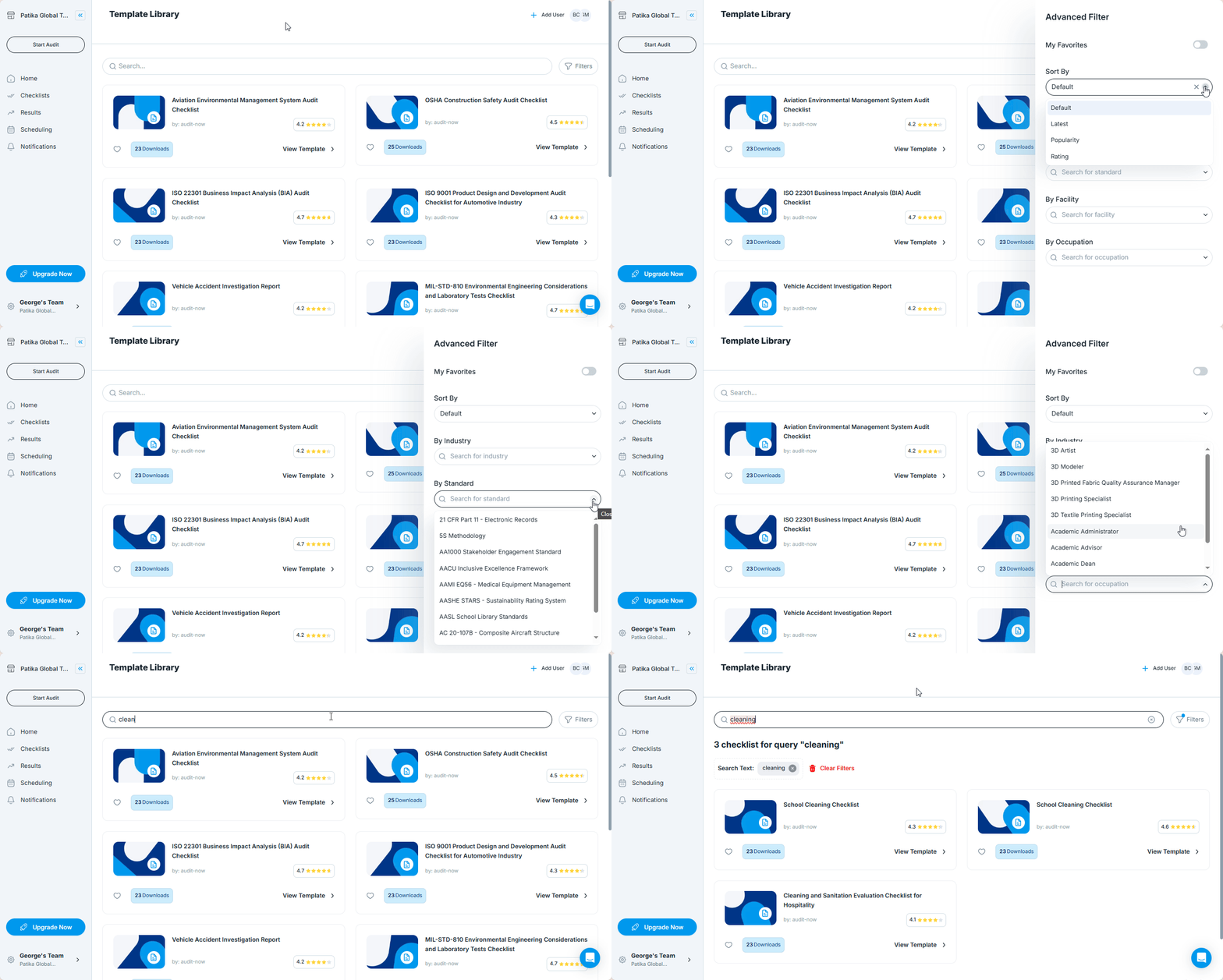
- Use the search bar to look for templates by keyword (e.g. “food safety”, “equipment check”)
- Use filters to narrow down by:
- Industry or category
- Standard
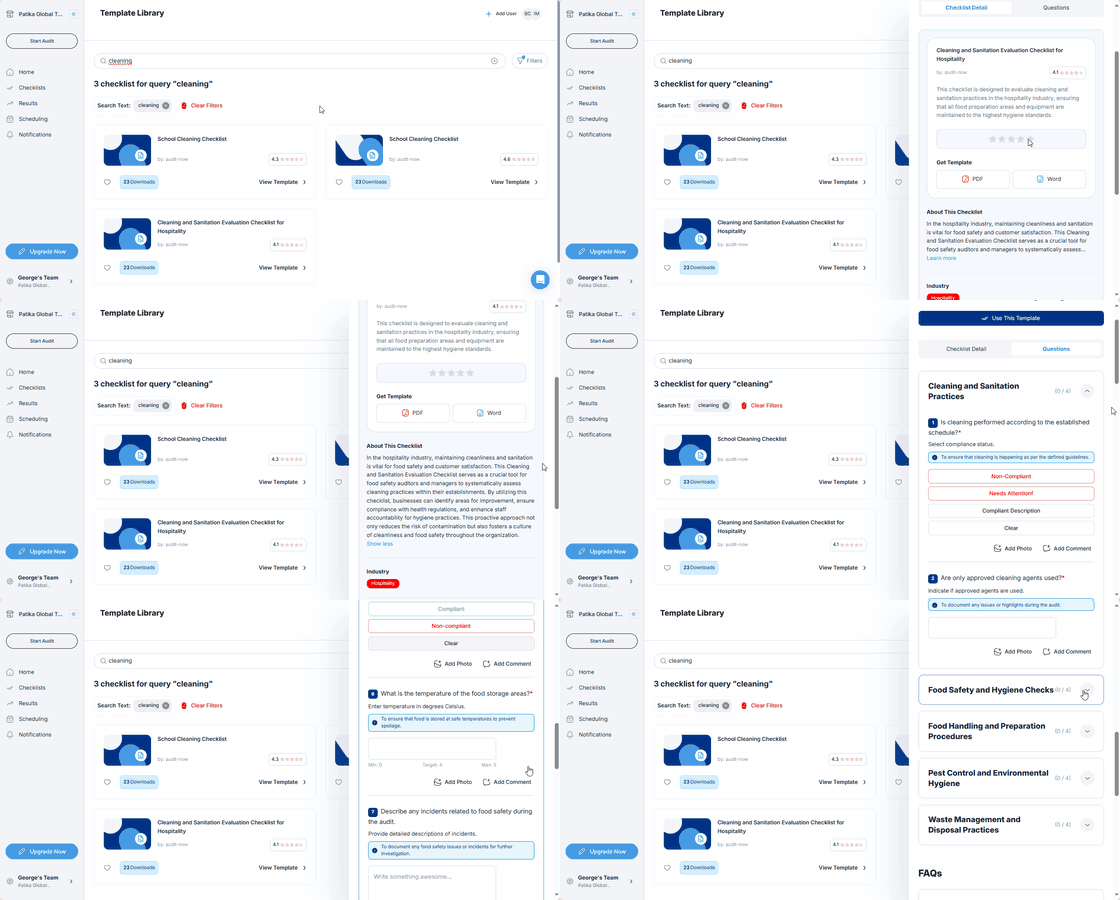
Each template card shows:
- Checklist title
- A short description
- Tags for category and purpose
- Questions
Importing a Template
To use a checklist:
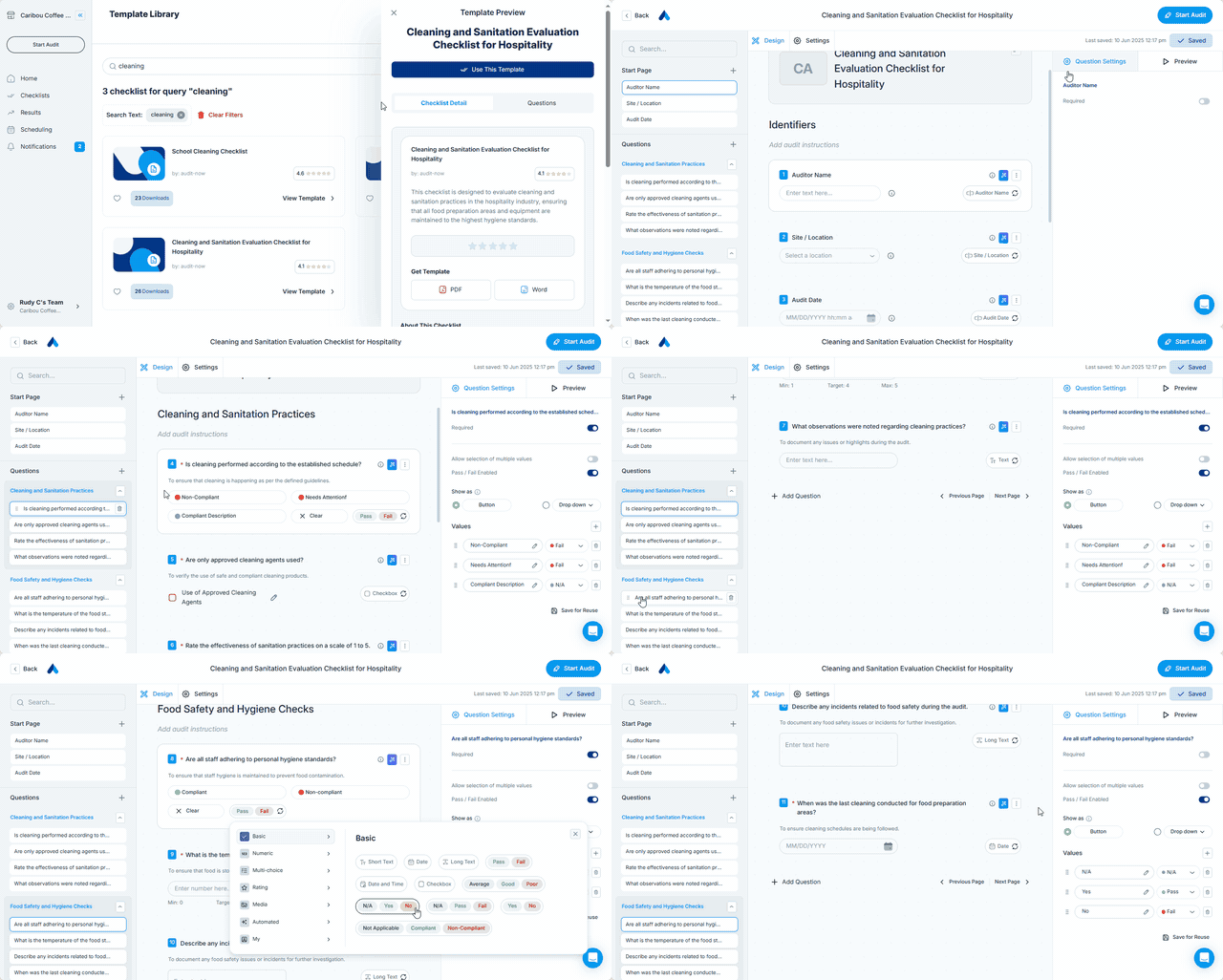
- Click Use This Template on the template
- The checklist opens in the editor, where you can:
- Modify item text or structure
- Change section names
- Add or remove questions
- Assign response types
- Set access and report rules
Best Practices
Use templates as starting points, then customize for your own process
- Rename checklists clearly before publishing
- Review all imported items to align with internal standards or regulations
Next Article: Manage Who Can Conduct Audits →